
Revenue you can actually reconcile.
Every booking, coaching session, and tournament entry in one finance report, split by cash and card, ready to export.
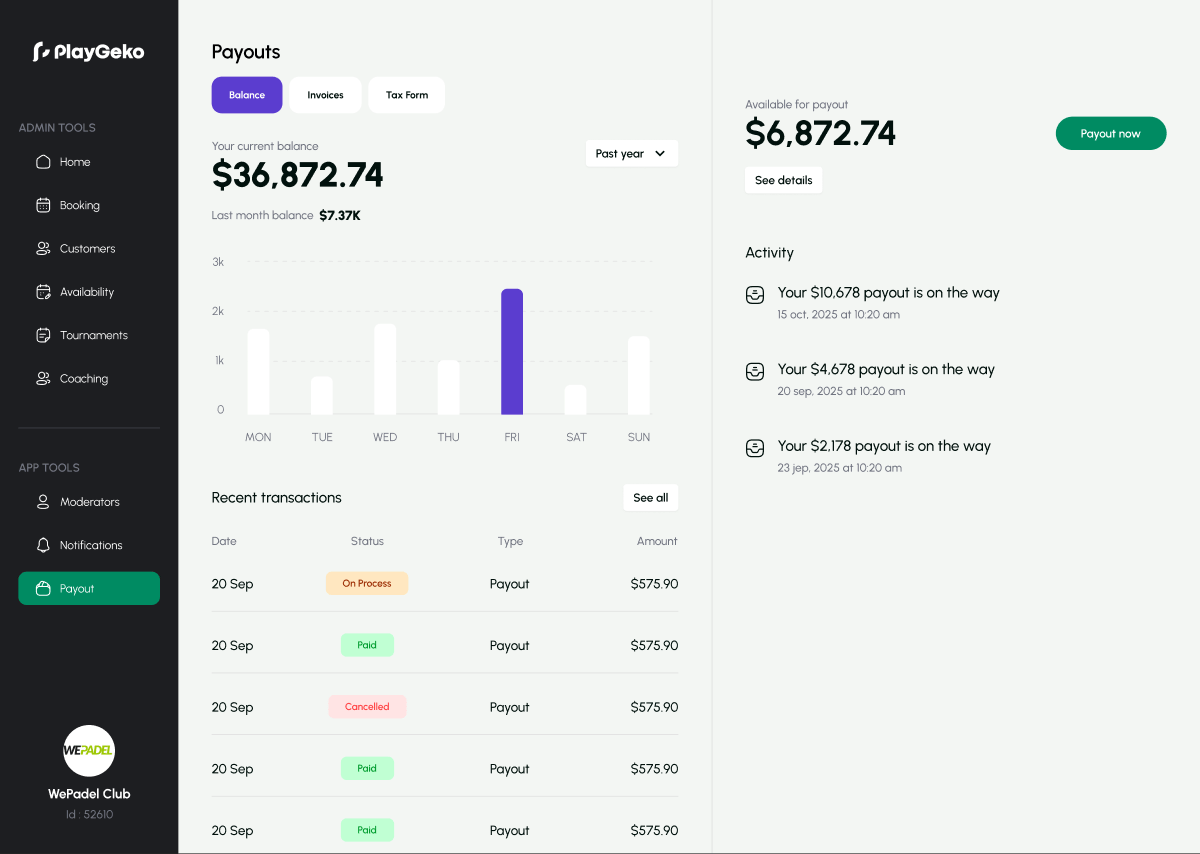
Closing the month should not take a weekend.
Cash in a drawer, card terminal totals, and online payments each live somewhere different. At month end someone has to line them up against the bookings and work out what was refunded.
Playgeko records every payment against the booking it belongs to, so the report is already there when you need it.
From the front desk to the ledger
A finance report built from your bookings
Pick a date range and see total revenue, expected revenue from confirmed and pending bookings, booking count, hours played, and cash and card totals. Charts show revenue by sport and by day, and a table lists each booking with its cost, cash, card, and paid status.
Online card payments
Players pay by card in the app, including Apple Pay and Google Pay where supported. Stripe handles international cards, and HyperPay handles local cards in Jordan.
Cash and card-terminal payments at the desk
Staff record in-person payments against a booking, a coaching package, or a tournament entry. Split a payment across cash and card, and take partial payments. Every payment is protected from double entry and records who took it.
Card payments held, then captured
When a player pays by card, the amount is held, and captured automatically once your cancellation window has passed. Cancel in time and the hold is released, so there is nothing to refund.
Refunds that stay on the record
Refund a booking as wallet credit or cash, in full or in part. Refunds are split fairly between the players who paid, and cannot exceed what was collected. Cancelling a tournament refunds its entry fees.
Every revenue stream in one place
Court bookings, coaching sessions and packages, and tournament entry fees all feed the same report, so you can see where the money comes from.
Exports for your accountant
Download the finance report as CSV, Excel, or PDF. Admins and owners can also export a ledger as an Excel file with a daily summary by branch and a full list of transactions, with cash and card sales split by bookings, coaching, and tournaments.
Records you can trust
Once a transaction is completed, its amounts cannot be changed. Dates follow each branch’s own timezone, so your day ends when your club’s day ends.
Month end in an afternoon
What closing the books looks like when payments are recorded as they happen.
- Daily
Staff record cash and terminal payments against bookings as they take them. Online payments arrive on their own.
- Day 1
You open the finance report for last month and see total revenue, the cash and card split, and revenue by sport.
- Day 1
You check refunds against cancellations and spot-check a few bookings in the table.
- Day 2
You export the ledger to Excel and send it to your accountant.
Who it helps
Owners
Know what you took, how it was paid, and what was refunded, without building a spreadsheet.
Staff
Take payment and record it in seconds, from the dashboard or the admin mobile app.
Players
Pay by card in the app, or at the desk, and get a clear refund if you cancel in time.
Up and running in three steps
- Step 1
Set your currency
Each branch has its own currency and timezone.
- Step 2
Take payments
Accept cards online and record cash and terminal payments at the desk.
- Step 3
Review and export
Open the finance report any time, and export when you need it.
Payment tracking and finance reports are available on every plan. Admins and owners can access the finance report.
Works with the rest of Playgeko
Finance pulls from the rest of your club. Bookings, coaching packages, and tournament fees all land here, and roles decide who can see it.
Court Booking System
One calendar for every court and sport, so staff and players always see the same real-time availability.
Coaching & Packages
Coach schedules, prices, and prepaid packages in one place, with each lesson booking the court and the coach together.
Club Staff Management
Give each team member exactly the access they need, branch by branch, and see how your team is performing.
Questions clubs ask
Does Playgeko generate invoices?
Not yet. You get finance reports, PDF exports, and a transaction ledger, but not per-customer invoices or receipts.
Which payment providers do you support?
Stripe for international cards, and HyperPay for local cards in Jordan. Staff can also record cash and card-terminal payments taken in person.
Can I export for my accountant?
Yes. The finance report exports to CSV, Excel, and PDF. Admins and owners can also export an Excel ledger with a daily summary and a full transaction list.
How do refunds work?
Admins and owners can refund a booking in full or in part, as wallet credit or cash. Players who cancel within your cancellation window are refunded automatically.
Does it support POS or retail sales?
Not yet. Playgeko tracks court bookings, coaching, and tournament entries. Retail, memberships, and inventory are not available.